
Experian Logins Follow-ups
The purpose of this document is to provide a structured and compliant approach for requesting clients’ Experian.com login credentials as part of our enhanced dispute strategy.
Overview
Key Points to Communicate to Clients
- Enhanced Dispute Strategy
Providing Experian login access allows us to implement a more targeted and effective dispute strategy, improving our ability to challenge the negative items on their report. - Strengthened Disputes
Direct visibility into the Experian account helps take a direct approach to the bureau, addressing its strict investigation protocols. - Data Security and Confidentiality
All login information is stored in a secure database and is accessible only to authorized company personnel. The information is used solely for the purpose of assisting with the client’s credit repair services and is handled in accordance with strict privacy and security standards. - Easy and Free Account Creation
If the client does not yet have an Experian account, they can easily create one at no cost. The sign-up process is quick and user-friendly, allowing us to proceed with their dispute strategy without delay.
SMS Templates
Initial SMS (Automation for all Momentum clients will be sent out 4/13/2026 12:00 NN EST)
Hi {{contact.first_name}}, quick update! As part of an upgraded dispute strategy for our Momentum clients, we’re implementing a more direct approach with Experian to help drive stronger results on your file.
To proceed, we’ll need your Experian.com login credentials. Additionally, since Experian sends a one-time verification code during login, please let us know a convenient time when you’ll be available to share the code so we can complete the setup smoothly.
We appreciate your prompt assistance with this.
No answer - Variation 1
Hi {{contact.first_name}}, we tried calling earlier but reached your voicemail. Quick update: as part of an upgraded dispute strategy for our Momentum clients, we’re using a more direct approach with Experian to help drive stronger results on your file.
To proceed, we’ll need your Experian.com login details. Since a one-time verification code is required, please let us know a convenient time to connect. Thank you!
Follow up - Variation 1
Hi {{contact.first_name}}, just following up here. I completely understand if there’s any hesitation, but this is part of an enhanced strategy we’re using to take a more direct approach with Experian, especially on more complex accounts.
Your login is handled securely and only used for dispute purposes. The sooner we’re able to apply this, the better we can position your file for stronger results this cycle.
Call Flow
| Part | Objective/Internal Notes | Script |
|---|---|---|
| Introduction & Context |
Set expectations and explain the purpose of the request. |
Hi {{contact.first_name}}, this is [Your Name] from Crowned Credit. I’m reaching out as part of an enhancement to your dispute strategy. Experian is known for having a stricter verification process compared to the other bureaus, and gaining access to your Experian account allows us to review your report directly and strengthen the disputes on your behalf. |
| Address Security & Confidentiality | Build trust and reassure the client. | Your information will be stored securely and will only be accessible to authorized personnel within our team. It will be used strictly for the purpose of assisting with your credit repair services. |
| Request Login Credentials | Obtain the username and password. | Could you please provide your Experian.com username and password so we can proceed? If you don’t have an account yet, I’d be happy to send you the sign-up link. The process is quick and completely free. |
| Request the Verification Code | Guide the client through two-factor authentication. | Once we attempt to log in, Experian will send a one-time verification code to your phone or email. When you receive it, could you please read that code to me or send it via text so we can complete the login? |
| Set Expectations & Close | Reinforce value and appreciation. | Thank you for your assistance with this. This step will allow our dispute team to implement the enhanced strategy for your file. If you have any questions at any point, please don’t hesitate to reach out. |
Internal Workflow
Step-by-Step Process
- Receive Credentials
- Obtain the client’s Experian username and password securely via phone or SMS.
- Login to Experian
- Attempt to log in using the provided credentials.
- Attempt to log in using the provided credentials.
- Two-Factor Authentication
- Request the one-time verification code from the client.
- Enter the code to complete the login.
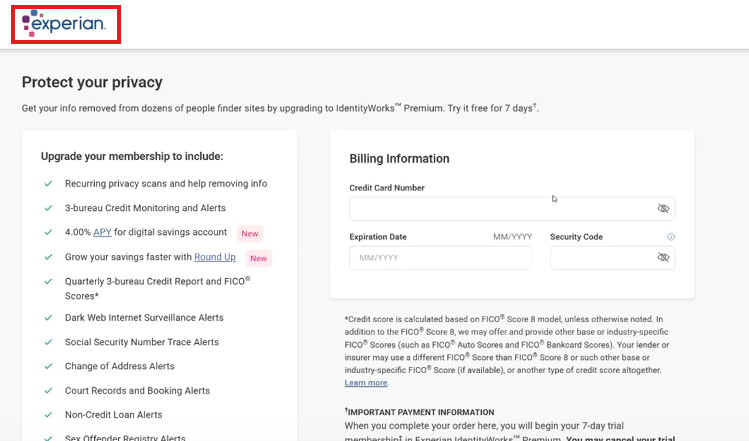
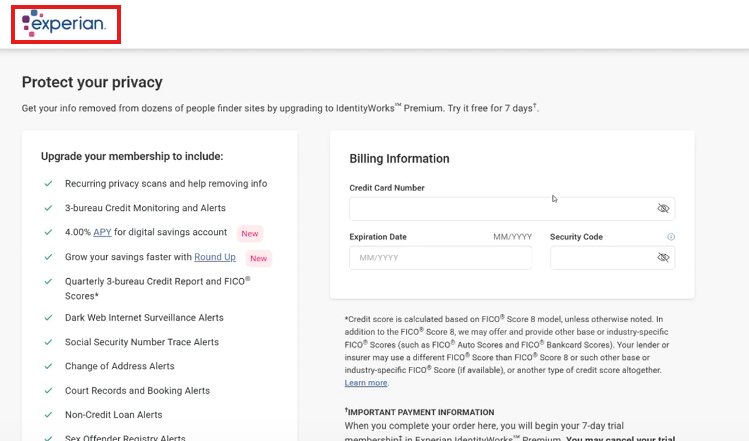
- Click the Experian logo
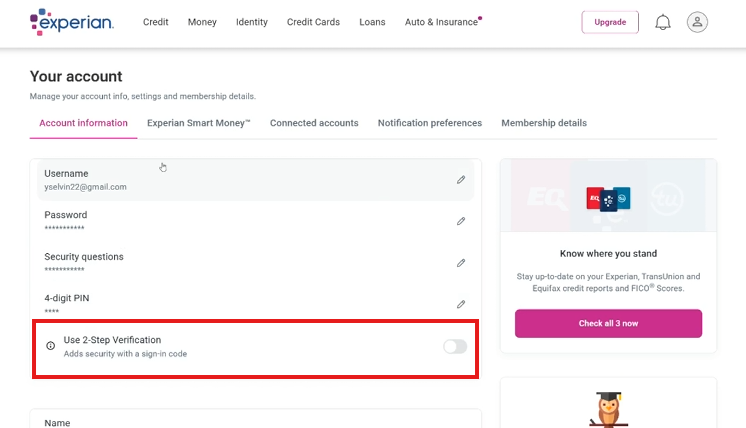
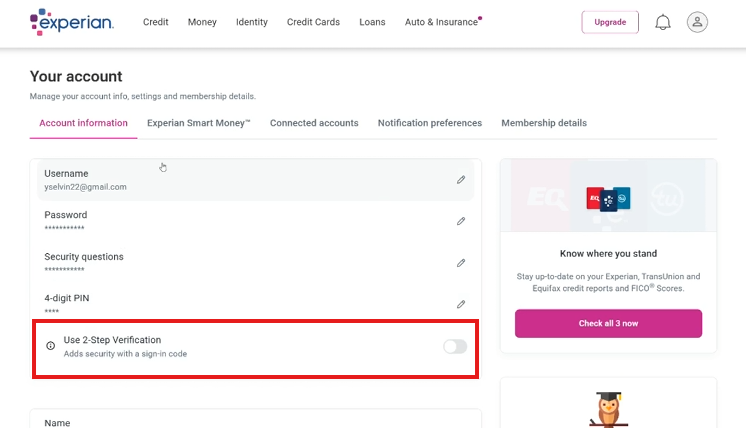
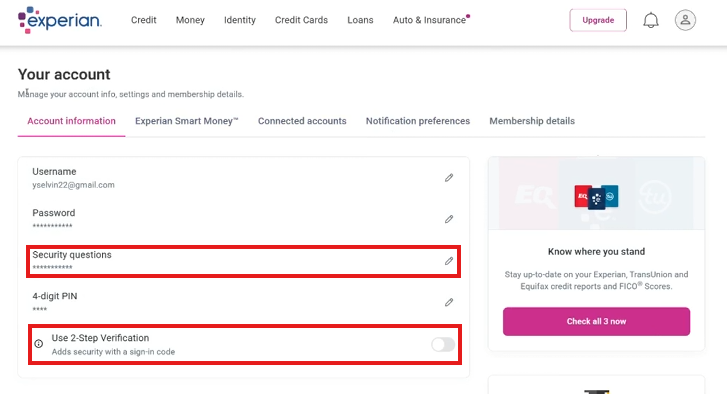
- Disable Repeated Verification
- Go to settings, disable the need for a security code to ensure future access.
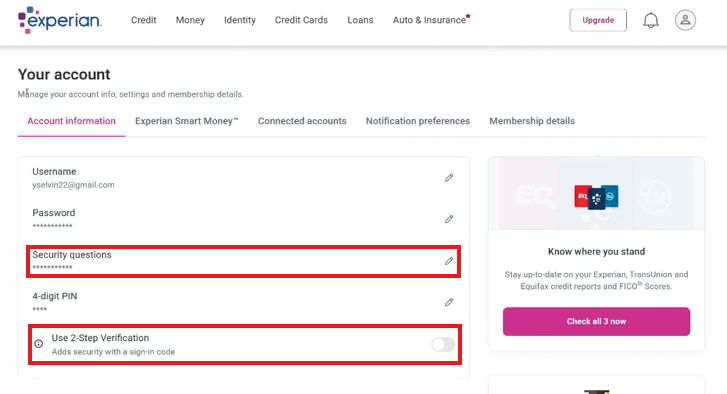
- Set/Confirm Security Questions
- Establish a security question if there is none yet, otherwise, make note of the existing answer to the security question
- Document in DisputeFox
- Navigate to the client’s profile.
- Enter the Experian login credentials and relevant notes in the “Additional Information” section.
- Notify the Dispute Team
- Send a message to the Whatsapp groupchat saying "Client Name Experian logins added to DF"
- Update "Experian Logins Needed" tracker
DisputeFox Note Format:
Experian Password:
Experian PIN:
Answer to security question in Experian:
No comments to display
No comments to display