# Credit Case Specialists

<span>The </span>**Credit Case Specialists (CCS)**<span> section outlines the responsibilities and workflows for managing active client accounts. It includes client relationship management and communication, progress updates, credit advice and troubleshooting. This section ensures consistent communications while maintaining strong client relationships and clear expectations throughout the process.</span>

  
**Keywords:**<span> client management, round results, check-in calls, credit report analysis, credit advice, progress updates</span>

# Role Overview

**This page outlines the role of the Credit Case Specialist (CCS) at Crowned Credit — the primary point of contact for every active client, responsible for managing their case, communicating progress, and delivering results throughout the dispute process.**

# Workflows

Day to day tasks and best practices.

# Inbox Management

**This page covers Inbox Management inside GoHighLevel — the central hub for all client SMS, email, and chat communication — and explains how to keep it organized, responsive, and professional at all times.**

# Inbound and Outbound Calls

**This page covers how to handle all inbound and outbound client calls at Crowned Credit using Aircall and the GHL dialer, including proper protocols, call logging, and expectations for every interaction.**

# Dispute Round Pipeline Management

**This page explains how to manage the Dispute Round Pipeline in DisputeFox — tracking each client's progress from initial analysis through every dispute round — so no client falls behind and every case moves forward on schedule.**

# Cross-Department Support

**This page outlines how to provide effective cross-department support at Crowned Credit — coordinating between Sales, Onboarding, Disputes, and CSR teams to ensure a seamless client experience from signup to graduation.**

# Loom Video Updates — No-Answer Outreach

**This page covers when, why, and how to record Loom video updates for clients who do not pick up during Round Results calls or failed payment follow-ups. Loom updates are a personal, high-trust touchpoint that keeps clients engaged with their file even when they cannot be reached by phone. The structure below is built for scale: a fixed scaffold + scenario-coded result scripts so any CCS can record a polished update in one take.**

## 1. Objective

- Maintain client engagement and trust when phone outreach fails.
- Make video creation **scalable** — any CCS can record a polished update at high volume.
- Reduce time-per-video by using a fixed scaffold and pre-written scenario scripts.
- Optimize content to **address churn** by reinforcing progress, strategy, and the client's role.

## 2. Scope

This SOP applies to all **Credit Case Specialists (CCS)** handling active client communication. It is triggered after a no-answer event on either of the following:

- **Round Results — No Answer:** Client missed the live Round Results call and has not responded to the no-answer SMS within 24 hours.
- **Failed Payment Follow-up — No Answer:** Client missed the failed-payment follow-up call and has not responded to the SMS or email after the standard retry window.

The Loom replaces the second outreach attempt — more personal than a text, less intrusive than another call, and gives the client something they can rewatch on their own time.

## 3. Loom Length Rules

<table id="bkmrk-rule-standard-minimu" style="width: 100%; border-collapse: collapse; margin: 20px 0;"><thead><tr><th style="background: #2b386d; color: #ffffff; padding: 12px; text-align: left;">Rule</th><th style="background: #2b386d; color: #ffffff; padding: 12px; text-align: left;">Standard</th></tr></thead><tbody><tr><td style="padding: 10px; border: 1px solid #ddd;">**Minimum length**</td><td style="padding: 10px; border: 1px solid #ddd;">1 minute 30 seconds</td></tr><tr><td style="padding: 10px; border: 1px solid #ddd; background: #f9f9f9;">**Maximum length**</td><td style="padding: 10px; border: 1px solid #ddd; background: #f9f9f9;">2 minutes 30 seconds</td></tr><tr><td style="padding: 10px; border: 1px solid #ddd;">**Target midpoint**</td><td style="padding: 10px; border: 1px solid #ddd;">~2:00</td></tr><tr><td style="padding: 10px; border: 1px solid #ddd; background: #f9f9f9;">**If under 1:30**</td><td style="padding: 10px; border: 1px solid #ddd; background: #f9f9f9;">Re-record. Slow down, add a reminder, or close with a stronger CTA. Do not pad with filler.</td></tr><tr><td style="padding: 10px; border: 1px solid #ddd;">**If over 2:30**</td><td style="padding: 10px; border: 1px solid #ddd;">Re-record. Tighten Section B or D. Stay focused.</td></tr></tbody></table>

> **Note:** Anything shorter than 1:30 feels rushed and skips important context. Anything longer than 2:30 loses the client's attention.

## 4. Before You Record

1. Open the client's file in **GHL** and **DisputeFox** side by side.
2. Review the last round of dispute results, current credit score, and any open items.
3. For failed payment cases, confirm which payment failed, the reason code, and the next retry date.
4. Identify the correct **scenario code** from Section 6 (Round Results videos).
5. Have the client's first name visible so you use it correctly on camera.
6. Check your camera, mic, lighting, and background. Be presentable — this is a client-facing touchpoint.
7. Smile before you hit record. It carries through on video.

## 5. Fixed Structure &amp; Duration Allocation

Every Loom follows the same five-segment scaffold. Segments A, C, D, and E are **standardized**; Segment B is **scenario-coded** (see Section 6).

<table id="bkmrk-segment-purpose-dura" style="width: 100%; border-collapse: collapse; margin: 20px 0;"><thead><tr><th style="background: #2b386d; color: #ffffff; padding: 12px; text-align: left;">Segment</th><th style="background: #2b386d; color: #ffffff; padding: 12px; text-align: left;">Purpose</th><th style="background: #2b386d; color: #ffffff; padding: 12px; text-align: left;">Duration</th><th style="background: #2b386d; color: #ffffff; padding: 12px; text-align: left;">Type</th></tr></thead><tbody><tr><td style="padding: 10px; border: 1px solid #ddd;">**A. Intro**</td><td style="padding: 10px; border: 1px solid #ddd;">Name + company, acknowledge missed call, state purpose</td><td style="padding: 10px; border: 1px solid #ddd;">10 – 15 sec</td><td style="padding: 10px; border: 1px solid #ddd;">Standardized</td></tr><tr><td style="padding: 10px; border: 1px solid #ddd; background: #f9f9f9;">**B. Results Summary**</td><td style="padding: 10px; border: 1px solid #ddd; background: #f9f9f9;">What changed on their report (scenario-coded)</td><td style="padding: 10px; border: 1px solid #ddd; background: #f9f9f9;">35 – 55 sec</td><td style="padding: 10px; border: 1px solid #ddd; background: #f9f9f9;">Semi-Standardized</td></tr><tr><td style="padding: 10px; border: 1px solid #ddd;">**C. What We're Doing Next**</td><td style="padding: 10px; border: 1px solid #ddd;">Next dispute round + strategy escalation</td><td style="padding: 10px; border: 1px solid #ddd;">25 – 35 sec</td><td style="padding: 10px; border: 1px solid #ddd;">Standardized</td></tr><tr><td style="padding: 10px; border: 1px solid #ddd; background: #f9f9f9;">**D. What You Should Do**</td><td style="padding: 10px; border: 1px solid #ddd; background: #f9f9f9;">CM access, avoid interference, optional actions</td><td style="padding: 10px; border: 1px solid #ddd; background: #f9f9f9;">20 – 30 sec</td><td style="padding: 10px; border: 1px solid #ddd; background: #f9f9f9;">Standardized</td></tr><tr><td style="padding: 10px; border: 1px solid #ddd;">**E. Expectations + Close**</td><td style="padding: 10px; border: 1px solid #ddd;">Timeline, reassurance, CTA</td><td style="padding: 10px; border: 1px solid #ddd;">10 – 15 sec</td><td style="padding: 10px; border: 1px solid #ddd;">Standardized</td></tr><tr><td style="padding: 10px; border: 1px solid #ddd; background: #2b386d; color: #ffffff;">**Total**</td><td style="padding: 10px; border: 1px solid #ddd; background: #2b386d; color: #ffffff;"> </td><td style="padding: 10px; border: 1px solid #ddd; background: #2b386d; color: #ffffff;">**1:40 – 2:30**</td><td style="padding: 10px; border: 1px solid #ddd; background: #2b386d; color: #ffffff;"> </td></tr></tbody></table>

**Segment A — Intro (10 – 15 seconds) \[Standardized\]**

- Greet by time of day + state your name and company.
- Acknowledge the missed call.
- State the purpose of the video.

> **Script:** "Good \[morning/afternoon\]! This is \[Your Name\] from Crowned Credit. We tried to reach you to notify you of your recent dispute round's results. We'd love to connect further — but in the meantime, here's a quick update on your file."

**Segment B — Results Summary (35 – 55 seconds) \[Semi-Standardized\]**

Open the client's report side-by-side. Identify the right **scenario code** from Section 6 and deliver that script, personalizing the bracketed fields. This is the heart of the video — give it room.

**Segment C — What We're Doing Next (25 – 35 seconds) \[Standardized\]**

- Confirm the next dispute round is already in motion.
- Reassure the client that strategy escalates over time.
- Mention adaptive tactics without overpromising.

> **Script:** "Our dispute team is already reviewing the results from this round and preparing the next set of disputes. Rest assured, we don't send the same letters each round. As the process continues, we use the responses from the credit bureaus and creditors to refine our strategy and challenge the remaining negative items more aggressively. If needed, we may also escalate to additional methods, such as referencing applicable sections of consumer law, past cases of consumers versus the bureaus, and exploring other channels."

**Segment D — What You Should Do (20 – 30 seconds) \[Standardized\]**

- Remind them to access their **Credit Monitoring (CM)** through the client portal.
- Tell them what to avoid (interference: new credit, hard pulls, closing accounts) during active rounds.
- Recommend **one** small optional action that supports progress — never a list.

> **Script template:** "On your end, please log into your client portal to view the full round results and keep tabs on your credit monitoring. While we're actively disputing, try to avoid applying for any new credit or making major changes to your open accounts — that gives us the cleanest path forward. One thing that would help this week: \[single specific action — e.g., 'check your credit utilization on each card and try to bring any above 30% down before your next statement closes'\]."

**Optional actions to choose from (pick one only):**

- Check credit utilization on each card and bring any above 30% down.
- Set up autopay for at least minimum payments on open accounts.
- Log into the portal to review the items we just challenged.
- Update payment method in the portal if a card is expiring or changed.
- Confirm contact info in the portal is up to date.

**Segment E — Expectations + Close (10 – 15 seconds) \[Standardized\]**

- Set the timeline for the next milestone (next round, next check-in).
- Reassure briefly.
- Close with a clear CTA to reply or call back.

> **Script:** "We'll check back in with you around \[next milestone / next round\]. You're in good hands — we'll keep pushing on this. If you have any questions in the meantime, just reply to this message or give us a call. Thanks \[Name\], talk soon."

## 6. Results Summary Scenario Codes (Segment B)

Identify which scenario fits the round's outcome, then deliver the matching script. Personalize the bracketed fields with the client's actual data. **Do not combine codes** — pick the one that fits best.

<table id="bkmrk-code-when-it-applies" style="width: 100%; border-collapse: collapse; margin: 20px 0;"><thead><tr><th style="background: #2b386d; color: #ffffff; padding: 12px; text-align: left;">Code</th><th style="background: #2b386d; color: #ffffff; padding: 12px; text-align: left;">When It Applies</th><th style="background: #2b386d; color: #ffffff; padding: 12px; text-align: left;">Script</th></tr></thead><tbody><tr><td style="padding: 10px; border: 1px solid #ddd; vertical-align: top;">**GREAT-01**</td><td style="padding: 10px; border: 1px solid #ddd; vertical-align: top;">Great results: deletions **+** positive score movement</td><td style="padding: 10px; border: 1px solid #ddd; vertical-align: top;">"We had an excellent round of results. Several negative items were removed from your credit report, and your scores increased as well. This is exactly the type of progress we want to see and puts you in a much stronger position moving forward."</td></tr><tr><td style="padding: 10px; border: 1px solid #ddd; vertical-align: top; background: #f9f9f9;">**GOOD-01**</td><td style="padding: 10px; border: 1px solid #ddd; vertical-align: top; background: #f9f9f9;">Good: deletions **+** minimal positive score movement</td><td style="padding: 10px; border: 1px solid #ddd; vertical-align: top; background: #f9f9f9;">"We were able to remove several negative items from your report. While the score increase was modest, these deletions are an important step and should continue to strengthen your credit profile over time."</td></tr><tr><td style="padding: 10px; border: 1px solid #ddd; vertical-align: top;">**GOOD-02**</td><td style="padding: 10px; border: 1px solid #ddd; vertical-align: top;">Good: minimal deletions **+** positive score movement</td><td style="padding: 10px; border: 1px solid #ddd; vertical-align: top;">"We saw positive movement this round. Most notably, these accounts were deleted: \[list account names/types\]."</td></tr><tr><td style="padding: 10px; border: 1px solid #ddd; vertical-align: top; background: #f9f9f9;">**MIXED-01**</td><td style="padding: 10px; border: 1px solid #ddd; vertical-align: top; background: #f9f9f9;">Mixed: deletions **+** score decreased</td><td style="padding: 10px; border: 1px solid #ddd; vertical-align: top; background: #f9f9f9;">"We saw some positive movement this round. \[X\] accounts were removed, which indicates that the overall changes are having a positive impact on your credit profile. Regarding the score decrease, it's likely that \[reason — e.g., utilization shift, new account aging, scoring algorithm response\]."</td></tr><tr><td style="padding: 10px; border: 1px solid #ddd; vertical-align: top;">**MIXED-02**</td><td style="padding: 10px; border: 1px solid #ddd; vertical-align: top;">Mixed: minimal deletions, limited movement</td><td style="padding: 10px; border: 1px solid #ddd; vertical-align: top;">"We saw some movement this round, although the results were more limited than we would like. This is not unusual, and our dispute team will use the responses we received to strengthen the next round of disputes."</td></tr><tr><td style="padding: 10px; border: 1px solid #ddd; vertical-align: top; background: #f9f9f9;">**NOMOVEMENT-01**</td><td style="padding: 10px; border: 1px solid #ddd; vertical-align: top; background: #f9f9f9;">No deletions</td><td style="padding: 10px; border: 1px solid #ddd; vertical-align: top; background: #f9f9f9;">"We're not seeing much movement yet, which is fairly common for the first round. Our dispute team reviews the responses from each round and adjusts the strategy to push more aggressively in the following rounds."</td></tr><tr><td style="padding: 10px; border: 1px solid #ddd; vertical-align: top;">**NOMOVEMENT-02**</td><td style="padding: 10px; border: 1px solid #ddd; vertical-align: top;">No significant deletions (personal info + inquiries only)</td><td style="padding: 10px; border: 1px solid #ddd; vertical-align: top;">"We've been able to remove some inquiries and update your incorrect personal information so far, which safeguards you from \[fraud risk / mixed file issues\]. The next round will push harder on the remaining negative items."</td></tr></tbody></table>

> **Note:** Bracketed fields like \[X\], \[reason\], \[list account names\] must be filled in with the client's actual data before recording. Never read the bracket on camera.

## 7. Failed Payment Loom — Variant

For failed-payment no-answer videos, the scaffold stays the same but the content shifts. Use the same A → C → D → E timing.

- **A. Intro (10 – 15 sec):** Same template — swap "your recent dispute round's results" for "a failed payment on your account."
- **B. Payment Status (35 – 55 sec):** Replaces Results Summary. State which payment did not go through, the reason in plain English (card declined, insufficient funds, expired card), the impact on their file if not resolved, and the next retry date.
- **C. What We're Doing Next (25 – 35 sec):** Confirm auto-retry is scheduled, explain the grace period, mention the dispute work continues as long as payment is resolved.
- **D. What You Should Do (20 – 30 sec):** Update the payment method in the portal OR confirm the card on file is funded by the retry date.
- **E. Close (10 – 15 sec):** Confirm next retry date, reassure, CTA to reply or call back.

> **Compliance:** Never state the specific dollar amount of the failed payment on camera. Direct the client to the portal or their email for the exact figure.

## 8. Compliance Reminders

> **CROA &amp; Compliance — Non-Negotiable:** These rules apply to every Loom regardless of client tier or situation.

- Do **not** promise specific score increases, removal counts, or timelines.
- Do **not** guarantee results. Always speak in terms of what we are working on and what is typical.
- Do **not** say anything that implies "no upfront fees" or any other CROA-restricted claim.
- Do **not** show any other client's information on screen.
- Do **not** discuss specific dollar amounts of any plan or charge on camera. Refer the client to the portal or their email for the exact figure.
- Stay professional. The client may share this video with family, attorneys, or on social media.

## 9. Sending the Loom

1. Record in **Loom** and let it process.
2. Rename the Loom with a clear title — for example: *"Round 3 Update — \[Client First Name\]"* or *"Quick Update on Your Account — \[Client First Name\]"*.
3. Copy the share link.
4. Send the link via **SMS** AND **Email** through **GHL**. Many clients prefer to watch on a bigger screen.
5. Use a short, warm message with the link.

> **Example SMS:** "Hi \[Name\]! I just sent you a quick 2-minute video update on your file since I missed you on the phone. Take a look when you get a chance: \[Loom link\]"

## 10. Logging the Loom in GHL

After sending, log a note on the contact in **GHL** using this format:

```
LOOM UPDATE - [DATE]
Type: Round Results No-Answer / Failed Payment No-Answer
Round or Payment Reference: [e.g., Round 3 results / Failed payment retry attempt 2]
Scenario Code: [e.g., GREAT-01 / N/A for failed payment]
Loom Link: [paste link]
Length: [e.g., 2:05]
Sent Via: SMS + Email
Next Step: [next round, next retry date, or next check-in]
Notes: [Anything specific covered or to follow up on]
```

## 11. Follow-Up After the Loom

<table id="bkmrk-loom-status-timing-a" style="width: 100%; border-collapse: collapse; margin: 20px 0;"><thead><tr><th style="background: #2b386d; color: #ffffff; padding: 12px; text-align: left;">Loom Status</th><th style="background: #2b386d; color: #ffffff; padding: 12px; text-align: left;">Timing</th><th style="background: #2b386d; color: #ffffff; padding: 12px; text-align: left;">Action</th></tr></thead><tbody><tr><td style="padding: 10px; border: 1px solid #ddd;">**Viewed, no reply**</td><td style="padding: 10px; border: 1px solid #ddd;">Within 3 business days</td><td style="padding: 10px; border: 1px solid #ddd;">Send a short SMS asking if they have any questions</td></tr><tr><td style="padding: 10px; border: 1px solid #ddd; background: #f9f9f9;">**Not viewed**</td><td style="padding: 10px; border: 1px solid #ddd; background: #f9f9f9;">After 3 business days</td><td style="padding: 10px; border: 1px solid #ddd; background: #f9f9f9;">Attempt one more live call</td></tr><tr><td style="padding: 10px; border: 1px solid #ddd;">**No engagement after 2nd call**</td><td style="padding: 10px; border: 1px solid #ddd;">—</td><td style="padding: 10px; border: 1px solid #ddd;">Escalate per *Escalation Triggers &amp; Chain*</td></tr></tbody></table>

Set a follow-up task in **GHL** for **3 business days** out at the moment you send the Loom — do not rely on memory.

## 12. Quality Checklist Before Sending

- Length is between 1:30 and 2:30 (target ~2:00)
- Client's first name is correct
- Correct scenario code identified (Round Results) or correct failure reason stated (Failed Payment)
- Bracketed script fields filled in with client's actual data — no brackets read on camera
- No other client's information visible on screen
- No promises, guarantees, or restricted CROA language
- One optional action recommended — not a list
- Audio is clear, video is steady, background is professional
- Loom is renamed clearly before sending

# Client Onboarding Communication Scripts

**This page contains all client onboarding communication scripts — covering welcome messages, document collection requests, portal setup instructions, and first-week check-in templates.**

This page provides all **Client Onboarding Communication Scripts** for Crowned Credit CSRs. The onboarding process is one of the most critical phases of the client journey. A smooth, professional onboarding experience sets the tone for the entire client relationship. CSRs are responsible for guiding new clients through portal setup, document collection, credit monitoring enrollment, and service agreement completion.

## Onboarding Checklist Overview

Before a client can begin their first round of disputes, all of the following must be completed. CSRs should track each item per client and send follow-up messages for any outstanding items.

<div id="bkmrk-onboarding-stepwho-c" style="margin:16px 0;"><table id="bkmrk-onboarding-stepwho-c-1" style="width:100%;border-collapse:collapse;margin:20px 0;"><thead><tr><th style="background:#2b386d;color:#FFFFFF;padding:12px;text-align:left;">Onboarding Step</th><th style="background:#2b386d;color:#FFFFFF;padding:12px;text-align:left;">Who Completes</th><th style="background:#2b386d;color:#FFFFFF;padding:12px;text-align:left;">Status Tracking</th></tr></thead><tbody><tr><td style="padding:10px;border:1px solid #ddd;">Client portal created in DisputeFox</td><td style="padding:10px;border:1px solid #ddd;">CSR</td><td style="padding:10px;border:1px solid #ddd;">GHL note + stage update</td></tr><tr><td style="padding:10px;border:1px solid #ddd;">Onboarding tutorial link sent to client</td><td style="padding:10px;border:1px solid #ddd;">CSR</td><td style="padding:10px;border:1px solid #ddd;">GHL note</td></tr><tr><td style="padding:10px;border:1px solid #ddd;">Driver license copy received</td><td style="padding:10px;border:1px solid #ddd;">Client uploads via portal</td><td style="padding:10px;border:1px solid #ddd;">DisputeFox document log</td></tr><tr><td style="padding:10px;border:1px solid #ddd;">Proof of address received (utility bill or bank statement)</td><td style="padding:10px;border:1px solid #ddd;">Client uploads via portal</td><td style="padding:10px;border:1px solid #ddd;">DisputeFox document log</td></tr><tr><td style="padding:10px;border:1px solid #ddd;">Social Security card copy received (or 2 POA alternatives)</td><td style="padding:10px;border:1px solid #ddd;">Client uploads via portal</td><td style="padding:10px;border:1px solid #ddd;">DisputeFox document log</td></tr><tr><td style="padding:10px;border:1px solid #ddd;">SmartCredit or MFSN enrolled - Premium plan</td><td style="padding:10px;border:1px solid #ddd;">Client</td><td style="padding:10px;border:1px solid #ddd;">GHL note with credentials</td></tr><tr><td style="padding:10px;border:1px solid #ddd;">Service agreement reviewed and signed</td><td style="padding:10px;border:1px solid #ddd;">Client via portal</td><td style="padding:10px;border:1px solid #ddd;">DisputeFox agreement log</td></tr><tr><td style="padding:10px;border:1px solid #ddd;">Onboarding complete message sent</td><td style="padding:10px;border:1px solid #ddd;">CSR</td><td style="padding:10px;border:1px solid #ddd;">GHL note</td></tr></tbody></table>

</div>## Portal Creation Notification Script

Send this immediately after creating the client portal in DisputeFox:

### SMS - Portal Just Created

> Hey \[Name\]! Check your email. I have just finished completing your client portal. You should have the login in your email and we highly recommend downloading our mobile app - it makes the entire onboarding process much easier. Please watch this tutorial first before completing onboarding: https://getcrownedcredit.com/onboarding/ - It shows you exactly what to do. Completing onboarding incorrectly can result in processing delays. Send us a message here when completed. - Crowned Credit

## Document Collection Scripts

### SMS - Requesting All Onboarding Documents

> Welcome to Crowned Credit! To get started on your credit file, we will need the following documents:  
>   
> Required Documents:  
> \- Driver License Copy  
> \- Proof of Address (Utility Bill or Bank Statement)  
> \- Social Security Card Copy  
>   
> For credit monitoring, please sign up here: https://www.smartcredit.com/crownedcredit  
>   
> Once enrolled, please send us your username and password.  
>   
> Thank you for choosing Crowned Credit! Questions? Call or text us at (336) 310-0090.  
>   
> \- Crowned Credit Team

### SMS - Following Up on Specific Missing Documents

> Hi \[Name\], we are so close to completing your onboarding! We are just waiting on the following from you: \[LIST SPECIFIC MISSING ITEMS\]. Once we have those, our dispute team can get started on your file right away. Please send them as soon as you can so we do not lose any time!

### SMS - No Social Security Card Available (Alternative Documents)

> If you do not have your Social Security card available at the moment, no worries. You may instead provide us with 2 Proof of Address documents (for example, two utility bills or a utility bill and a bank statement). Please send those and we will be able to proceed from there.

## Credit Monitoring Enrollment Scripts

### SMS - Asking Client to Set Up SmartCredit

> Hi \[Name\], we need your 3-bureau credit report to begin working on your file. Please sign up for SmartCredit using this link: https://www.smartcredit.com/crownedcredit - Once enrolled, please send us your login username and password so our team can access your report and begin preparing your disputes. If you have any trouble signing up, let us know right away!

### SMS - SmartCredit Plan Upgrade Required

> We are one step away from completing your onboarding and beginning your first round of disputes. We noticed your SmartCredit subscription is currently on the Basic plan. Please log in and upgrade to the Premium plan - since we need your full 3-bureau report, the Premium plan is the most effective and cost-efficient option for your goals. Once upgraded, let us know and we can get started!

## Billing Date Setup Scripts

### SMS - Asking for Preferred Billing Date

> We are setting up your monthly billing schedule going forward. What day of the month works best for you to be billed starting next month? Please let us know and we will adjust it accordingly.

### SMS - Confirming Billing Date

> Thanks! We have adjusted your billing date to the \[DATE\] of each month. Your next payment will be due on \[NEXT DATE\]. Let us know if anything else comes up!

## Service Agreement Scripts

### SMS - Only Remaining Step is Signing Agreement

> Almost done with your onboarding! All we need now is for you to review and sign the service agreement. Please log in to your portal using the link below and look for the agreement section: https://getcrownedcredit.scorexer.com/Portal/login.jsp - Use your portal login credentials to sign in and complete this final step. Send us a message once it is done!

## Onboarding Completion Scripts

### SMS - Onboarding Successfully Completed

> Thank you, \[Name\]. Your reports have been successfully submitted to our Dispute Team and you are now on your way toward improving your credit! Once the disputes are filed, it typically takes about 30 to 35 days for the bureaus to respond. After that, we will update your credit report and send you the results via email. We will keep you informed throughout the process and share any important updates along the way. In the meantime, do not hesitate to reach out if you have any questions. - Crowned Credit

## Contact and Support Information to Share with New Clients

> If you have any questions about the process or need clarification at any point, please do not hesitate to call or text us at (336) 310-0090. We are here to help and want to make sure your experience is as smooth as possible. You can also reach us by email at info@getcrownedcredit.com.

## App Download Information

### SMS - Sending App Download Links

> Download the Credit Tracker app to track your progress on the go:  
>   
> Apple App Store: https://apps.apple.com/us/app/credit-tracking/id6477532250  
> Google Play Store: https://play.google.com/store/apps/details?id=app.credittracker  
>   
> Log in using your portal credentials once installed.

## Common Onboarding Delays and How to Handle Them

<div id="bkmrk-delay-reasonaction-c" style="margin:16px 0;"><table id="bkmrk-delay-reasonaction-c-1" style="width:100%;border-collapse:collapse;margin:20px 0;"><thead><tr><th style="background:#2b386d;color:#FFFFFF;padding:12px;text-align:left;">Delay Reason</th><th style="background:#2b386d;color:#FFFFFF;padding:12px;text-align:left;">Action</th></tr></thead><tbody><tr><td style="padding:10px;border:1px solid #ddd;">Client has not submitted documents after 3 days</td><td style="padding:10px;border:1px solid #ddd;">Send gentle reminder SMS. Offer to help if they are having trouble uploading.</td></tr><tr><td style="padding:10px;border:1px solid #ddd;">SmartCredit enrollment incomplete</td><td style="padding:10px;border:1px solid #ddd;">Resend signup link. Offer to walk them through it on a call if needed.</td></tr><tr><td style="padding:10px;border:1px solid #ddd;">Service agreement not signed after 48 hours</td><td style="padding:10px;border:1px solid #ddd;">Resend portal link with specific instructions on where to find the agreement.</td></tr><tr><td style="padding:10px;border:1px solid #ddd;">Client does not have Social Security card</td><td style="padding:10px;border:1px solid #ddd;">Accept 2 proof of address documents as an alternative.</td></tr><tr><td style="padding:10px;border:1px solid #ddd;">Client has MFSN instead of SmartCredit</td><td style="padding:10px;border:1px solid #ddd;">Proceed with MFSN if they already paid. Recommend switching at next billing cycle.</td></tr></tbody></table>

</div>

# Common Client Questions & Answers

---

## "Can I See the Contract Before I Pay?"

**Context:** Some prospects want to review the service agreement before committing. This is their legal right under CROA (Credit Repair Organizations Act).

### How to Handle This

1. **Do NOT push back.** Clients have a federal right to receive a written disclosure and contract before paying. This is a reasonable request.
2. **Let them know you will send it.** Say: *"Absolutely — I will have our team send over the service agreement for you to review. Once you have had a chance to look it over, we can reconnect and get you started."*
3. **Escalate to your team lead or billing** to send the contract template. Tag `@Billing Team` in `#customer-support` on Discord with the client name and request.
4. **Follow up within 24 hours.** Do not let this go cold — schedule a callback to walk them through any questions.

### Key CROA Reminders

- The contract must be signed by Crowned Advisors Inc. (our legal entity name)
- Clients have a **3-business-day cancellation right** after signing — this must be disclosed
- A separate **written disclosure statement** must be provided before the contract is signed
- See the [CROA Requirements](/books/legal-compliance/page/croa-requirements) wiki page for full details

> ⚠️ **Team Leads:** If you do not know where the current contract template is stored or how to send it, escalate to management immediately. This is a compliance requirement, not optional.

# Score Not Moving & Credit Discrepancy Scripts

**This page contains scripts for handling score-not-moving concerns and credit discrepancy situations — covering client reassurance, investigation steps, and escalation protocols.**

This page covers all scripts for handling situations where clients are concerned about their credit score not improving, score discrepancies between platforms, or credit reporting issues. These are among the most common and sensitive situations a CSR will encounter. Handling them well builds trust; handling them poorly leads to cancellations. Every response must be empathetic, educational, and CROA-compliant.

## Understanding Why Scores May Not Move

Before responding to any client concern about score movement, CSRs should understand the common reasons a score may appear flat or decrease during the credit repair process:

- **Credit utilization** - This accounts for 30% of the FICO score. A maxed-out credit card can offset significant dispute progress.
- **New inquiries** - Applying for credit during the program adds hard inquiries that temporarily lower scores.
- **Bureau processing time** - Scores fluctuate during active dispute periods as bureaus process investigations.
- **Reporting cycle mismatch** - Positive changes may not appear until the creditor reports updated information to the bureau.
- **Open versus closed accounts** - Late payments on open active accounts are harder to remove and take longer.
- **Score model differences** - Credit Karma uses VantageScore; our platform tracks FICO scores. These can diverge significantly.

## Score Not Moving Scripts

### SMS - Score Has Not Increased Yet

> Hi \[Name\], thanks for reaching out. Last round, we were able to remove \[X\] negative items and update \[X\] to positive, bringing the total removed to date to \[X\] items. When this happens, we generally expect the score to go up.
> 
> However, other factors affect your score. Credit utilization in particular is 30% of how your score is computed, and if any of your cards are showing near the limit, that can offset the gains from removals.
> 
> We recommend keeping utilization at 30% or below for best results. We are still actively working on your file and will update you after the next round.

### Phone Script - Score Not Moving

> Hi \[Name\], thank you for reaching out. I completely understand the frustration when you are not seeing the movement you expected. Let me pull up your file and walk you through where things stand. \[Review file.\] So here is what I see: we have successfully removed \[X\] negative items so far.
> 
> That is real progress. The challenge is that credit scores are affected by multiple factors at once, not just the negative items we remove. \[Identify main factor - usually utilization or new inquiry.\] What I recommend: \[specific action based on their situation\].
> 
> Your next round results will be in approximately \[X\] days and I am confident we will see more movement. Does that help clarify things?

### SMS - Why Infrequent Score Updates (30 to 35 Day Cycle)

> Credit Karma typically updates more frequently, sometimes weekly or even daily, depending on bureau activity. On our end, we update your report through the credit monitoring platform every 30 to 35 days. This timing allows us to wait until disputes are fully processed, since scores can fluctuate during that period. By the time we pull your updated report, it reflects the most accurate and complete results from the round.

## Credit Score Discrepancy Scripts

### SMS - Credit Karma vs. FICO Score Discrepancy

> Great question! Credit Karma uses VantageScore, while our credit monitoring tool (SmartCredit / VantageScore) score - the industry standard that lenders actually use when evaluating applications. These two scoring models weigh factors differently, which is why you may see different numbers between the two platforms. The scores we track for your progress are your FICO scores, as those are the most relevant for your real-world goals like buying a car, home, or getting approved for credit. What matters most is that we continue removing negative items, which improves both scores over time.

### SMS - Different Scores Across All Three Bureaus

> It is completely normal to see different scores across Equifax, Experian, and TransUnion. Each bureau maintains its own database and creditors do not always report to all three at the same time. Additionally, we may have had more success disputing items on one bureau than another, which explains why some scores are higher. We continue working all three bureaus simultaneously and the goal is to improve all three scores over time.

## Late Payment Handling Scripts

### SMS - Late Payments Not Being Removed (Open Active Accounts)

> Just to keep you informed, we are continuing to work diligently on the removal of the late payments on your accounts. Late payments tied to open and active accounts are among the most complex items to address, as they are often verified more rigorously by the creditors since the accounts are still current. That said, while the process may take more time, it does not mean removal is not possible. It simply requires more persistence and strategy. Please rest assured that this remains a priority on our end, and we will keep you updated every step of the way.

### SMS - Late Payments Not Being Removed (Closed Accounts)

> Just to keep you informed, we are continuing to work diligently on the removal of the late payments on your accounts. Late payments are among the most complex items to address, as they are often verified more rigorously by creditors even on closed accounts. While the process may take some time, it does not mean removal is not possible. It simply requires persistence and a multi-round strategy. Please rest assured that this remains a priority on our end and we will keep you updated every step of the way.

## Score Going Down Scripts

### SMS - Score Decreased

> We understand how concerning sudden score changes can be. At this stage, we will need to wait for your next updated credit report to fully verify what happened. Sometimes scores can temporarily fluctuate during the dispute process, but we will have a clearer picture once the results from this round come in. In the meantime, please avoid applying for any new credit, keep card utilization below 30%, and make all payments on time. These factors can significantly impact your score. We are actively working on your file and will update you as soon as the next round results are in.

### Phone Script - Score Went Down

> I understand how concerning that is, and I want to address it right away. Score drops during the dispute process are actually more common than most people expect. When bureaus are actively processing disputes, scores can temporarily dip before they rebound - similar to how things can look disorganized in the middle of a renovation before everything comes together.
> 
> Let me look at your file and see if I can identify a likely cause. \[Review file.\] Looking at your account, I can see \[specific observation\]. This is likely contributing to what you are seeing. The good news is \[positive observation\].
> 
> My recommendation is to \[specific action\]. Your next update will be in \[X\] days and we expect to see improvement at that point. Would you like me to schedule a check-in call when those results come in?

## Identity Theft and Suspicious Item Scripts

### SMS - Client Received Identity Theft Letter

> Hi \[Name\], I understand the wording in the letter might sound concerning, but please rest assured as this is part of our dispute strategy and is completely normal. We advise you not to respond to this and just keep it for your records.
> 
> This does not mean you have actually been a victim of identity theft, and it will not negatively affect you in any way. It simply means the bureau is requesting more documentation before they respond to our dispute.
> 
> We will continue handling this process for you and keep you updated.

### SMS - Data Breach Alert

> We are aware of the data breach. Since no credit information was included, it would generally not affect dispute outcomes. However, we do recommend you monitor your accounts closely and change any passwords that may have been compromised. If you notice any suspicious accounts on your credit report that were not there before, please let us know immediately and we will address them.

### SMS - Dark Web Alert

> While we do not offer services pertaining to removing information from the dark web, we can review your credit report for any suspicious accounts or unauthorized inquiries that may be the result of identity theft and address those accordingly. Please send us your most recent credit report so we can take a look and determine if any action is needed.

## Permanence of Removals

### SMS - Does the Removal Stay Permanent?

> Generally, removals are permanent as long as the bureaus do not receive new information that would cause them to reinsert the account. For example, if a creditor verifies the debt and resubmits it, there is a chance it could reappear. That said, we monitor your file throughout your time with us and would address any reinsertions during ongoing dispute rounds. Creditors are also legally required to notify you before reinserting any previously removed item.

## CROA Compliance Reminders for This Topic

- Never promise a specific point increase or timeline: say "many clients see improvement within 30-40 days"
- Always add the disclaimer: Results vary based on individual credit profiles and are not guaranteed
- Never attribute a score drop to our dispute work - always identify likely external factors first
- Never say we "guarantee" removal of any specific item

# Credit Building Recommendations

**This page provides credit building recommendations that CSRs share with clients — covering secured cards, authorized user strategies, credit utilization tips, and long-term credit health.**

This page provides all **Credit Building Recommendations** scripts and guidance for Crowned Credit CSRs. While our primary service is removing negative items through the dispute process, many clients benefit from proactively building positive credit alongside our work. CSRs should be equipped to recommend credit-building strategies that complement the dispute process and accelerate overall score improvement.

## Overview - Credit Score Factors

Understanding FICO score components helps CSRs give better advice to clients. When recommending credit building strategies, always tie the recommendation back to which factor it improves.

<div id="bkmrk-fico-factorweighthow" style="margin:16px 0;"><table id="bkmrk-fico-factorweighthow-1" style="width:100%;border-collapse:collapse;margin:20px 0;"><thead><tr><th style="background:#2b386d;color:#FFFFFF;padding:12px;text-align:left;">FICO Factor</th><th style="background:#2b386d;color:#FFFFFF;padding:12px;text-align:left;">Weight</th><th style="background:#2b386d;color:#FFFFFF;padding:12px;text-align:left;">How We Address It</th></tr></thead><tbody><tr><td style="padding:10px;border:1px solid #ddd;">Payment History</td><td style="padding:10px;border:1px solid #ddd;">35%</td><td style="padding:10px;border:1px solid #ddd;">Removing negative marks, building positive payment history with credit builders and secured cards</td></tr><tr><td style="padding:10px;border:1px solid #ddd;">Credit Utilization</td><td style="padding:10px;border:1px solid #ddd;">30%</td><td style="padding:10px;border:1px solid #ddd;">Advising clients to keep balances below 30% of limit on all revolving accounts</td></tr><tr><td style="padding:10px;border:1px solid #ddd;">Length of Credit History</td><td style="padding:10px;border:1px solid #ddd;">15%</td><td style="padding:10px;border:1px solid #ddd;">Advising clients not to close old accounts; recommending tradelines for established history</td></tr><tr><td style="padding:10px;border:1px solid #ddd;">Credit Mix</td><td style="padding:10px;border:1px solid #ddd;">10%</td><td style="padding:10px;border:1px solid #ddd;">Recommending a mix of installment accounts (credit builders, loans) and revolving accounts (secured cards)</td></tr><tr><td style="padding:10px;border:1px solid #ddd;">New Credit Inquiries</td><td style="padding:10px;border:1px solid #ddd;">10%</td><td style="padding:10px;border:1px solid #ddd;">Advising clients to avoid applying for new credit during the program unless necessary</td></tr></tbody></table>

</div>## Installment Account Recommendations

Clients with thin credit files or no installment accounts benefit greatly from credit builder products. These report positive payment history monthly and are low risk.

### SMS - Credit Builder Account Recommendations

> Adding credit builders is a great way to improve your credit mix and build positive installment history. Here are some options you can explore to boost your credit alongside our dispute work: SelfLender.com, Kikoff.com, MeetAva.com, CreditStrong.com, RentReporters.com, and KovoCredit.com. Just a heads-up: be sure to make all payments on time, as missing a payment on a credit builder could hurt your score instead of helping it.

### Phone Script - Recommending Credit Builders

> Hi \[Name\], one thing that can really speed up your progress is adding a credit builder account alongside our dispute work. These are small installment accounts designed specifically to build positive payment history. They report to the credit bureaus every month, so you are actively building while we are also removing. There are several options at different price points - SelfLender, Kikoff, and CreditStrong are popular ones. The key is making every single payment on time. Missing a payment would defeat the purpose. Would you like me to send you a list of options to look at?

## Revolving Account Recommendations

Clients who lack revolving credit accounts (credit cards or lines of credit) are missing a key credit mix component. Secured cards are the safest entry point for most clients in the credit repair process.

### SMS - Recommending Revolving Accounts

> Upon checking your file, it appears that adding revolving accounts like credit cards would help your overall credit mix and establish positive payment history. For now, a secured card would be the safest option. Putting down a deposit and using the card for small regular expenses will help keep it active. Make sure to settle payments before the due date each month, and it will help your file improve steadily over time.

### SMS - Recommended Secured Cards

> Here are a few secured card options we suggest for clients in the repair process: Discover Secured Card, U.S. Bank Secured Card, Bank of America Secured Card, and Navy Federal Secured Card if you are eligible for Navy Federal membership. These are among the most reputable options with the best chance of graduation to unsecured cards over time.

### SMS - Cards That Pull from TransUnion (Targeted Applications)

> Apple Card, US Bank, and GM Card typically pull from TransUnion when evaluating applications. If your TransUnion score is your strongest bureau right now, these may be the best options to consider when you are ready to apply. Applying through your strongest bureau gives you the best approval odds.

## Personal Loan Recommendations

Clients who are ready for an installment loan (after most negatives are removed) can benefit from adding a personal loan to their credit mix. Always advise waiting until the file is mostly clean before applying.

### SMS - Personal Loan Recommendations by Credit Level

> Personal Loan Options by Credit Level:  
>   
> For average credit scores: SoFi, Upgrade, Upstart, One Main Financial  
>   
> For higher credit scores: First Citizens Bank, Truliant Bank  
>   
> Lenders that typically pull from TransUnion: Navy Federal, Alliant FCU, Suncoast FCU, Truist (sometimes pulls TransUnion)  
>   
> We recommend waiting until most negative items are removed from your report before applying for larger installment loans. This maximizes your approval odds and helps you secure better interest rates.

## Home Purchase and Mortgage Guidance

### SMS - When Can I Buy a House?

> It would be best to wait until most, if not all, of the negative items have been removed from your report. Most mortgage lenders look for a minimum score of 620 for FHA loans and 640 to 680 or higher for conventional loans. Once we have your file cleaned up, we can give you a more precise timeline on when you would be ready to apply. We will make sure to keep you updated as we make progress on your file!

### SMS - Advising Client Not to Apply During Program

> Hi \[Name\], thanks for informing us. While we generally do not recommend applying for anything while the program is ongoing - since new inquiries and new accounts can temporarily affect your score - we understand that different situations come up. If you do proceed, please be advised that this may slow down progress slightly due to its impact on your credit, but we will address it accordingly and continue working on your file.

## Credit Card Application Guidance

### SMS - Can You Help Me Get a Credit Card?

> Hi \[Name\], we cannot directly assist with credit card applications, but we can provide guidance on how to best position yourself for approval. Since your strongest bureau right now appears to be \[BUREAU\], it would be best to apply for cards that pull from that bureau. Here is a resource where you can view which bureau most banks and lenders pull from: https://ficoforums.myfico.com/t5/General-Credit-Topics/Which-Report-Will-They-Pull-Part-2/m-p/6379773

## Business Funding Guidance

### SMS - Business Funding Inquiry

> For business funding, we have specialists on our team who handle these cases. Generally, we recommend that clients have scores in the 700s and all negative accounts cleared from their personal credit first, as personal credit is often evaluated for business funding as well. Once your personal credit is in great shape, we can discuss business funding options and connect you with the right specialist. Keep working the program and we will get you there!

## Credit Utilization Guidance

Credit utilization is the single most actionable thing clients can do outside of the dispute process. Always reinforce this during any score-related conversation.

### SMS - Credit Utilization Reminder

> Quick reminder: keeping your credit card balances below 30% of the credit limit on each card is one of the fastest ways to boost your score. If you have a card that is near the limit, paying it down even partially can have an immediate positive impact on your score at the next reporting cycle. This is one of the most impactful steps you can take outside of our dispute work.

## ChexSystems and Banking Issues

### SMS - Client Has Banking Issues (Secondary Bureaus)

> If you are having trouble opening bank accounts, this may be related to your ChexSystems or Early Warning Services report. These are secondary databases that banks use separate from the main credit bureaus. We can help address negative marks on those reports as well. Would you like me to send you instructions on how to order your ChexSystems and EWS reports so we can take a look?

*Results vary based on individual credit profiles and are not guaranteed.*

# Bureau & Platform Connectivity Issues

**This page covers bureau and platform connectivity troubleshooting — including SmartCredit login issues, bureau freeze/thaw procedures, identity verification problems, and platform error resolution.**

This page covers all scripts and troubleshooting procedures for **Bureau and Platform Connectivity Issues**. When a credit bureau becomes disconnected from the client monitoring platform, dispute work must be paused until the connection is restored. CSRs must be able to diagnose the issue, send the correct client instructions, and follow up to confirm resolution before the dispute team resumes work.

## Overview - Why Connectivity Issues Happen

Credit monitoring platforms like SmartCredit and MyFreeScoreNow pull data directly from the three major bureaus. Connectivity breaks for several reasons:

- **Identity verification mismatch** - Bureau cannot match the client name, address, or SSN in their system
- **Security freeze active** - Client placed or a freeze was placed on their bureau file blocking data sharing
- **Account inactivity** - Monitoring platform account was not logged into and timed out
- **Password change** - Client changed their monitoring login without notifying us
- **Platform technical issues** - Temporary outage on the monitoring provider side
- **Data mismatch after address change** - Bureau still has old address on file

## Bureau Disconnection Scripts

### SMS - Experian Disconnected

> It looks like your Experian report is currently not syncing with the credit monitoring platform. This typically happens when the monitoring service is unable to retrieve the report due to an identity verification issue or a data mismatch. To resolve this, please follow these two steps: First, contact your credit monitoring service and ask why your Experian score is not appearing on your report. Second, if they confirm the issue is coming from Experian, please contact Experian directly to verify your personal information. You can reach them at 1-888-397-3742. Once the verification is completed, your Experian report should sync properly again. Please let us know once this has been resolved so we can confirm on our end.

### SMS - Equifax Disconnected

> Your Equifax report appears to have been disconnected from the credit monitoring platform. This usually happens when the monitoring service cannot pull the score due to a verification issue or a data mismatch. To fix this, please follow these two steps: First, call your credit monitoring service and ask them why your Equifax score is missing. Second, if they confirm the issue is with Equifax, contact Equifax directly to verify your personal information at 1-888-378-4329. Once this is resolved, your Equifax score should appear properly on your report. Let us know once you have done this so we can confirm. Thanks!

### SMS - TransUnion Disconnected

> Your TransUnion report appears to have been disconnected from the credit monitoring platform. This usually happens when the monitoring service cannot pull the score due to a verification issue or a data mismatch. To fix this, please follow these two steps: First, call your credit monitoring service and ask them why your TransUnion score is missing. Second, if they confirm the issue is with TransUnion, contact them directly to verify your personal information at 833-806-1627. Once this is resolved, your TransUnion score should appear properly on your report. Let us know once you have completed this step. Thanks!

## MyFreeScoreNow (MFSN) Issues

### SMS - MFSN Password Reset (Simple)

> You can check your email for password reset instructions from MyFreeScoreNow. The email will have instructions on how to change the password. Once done, please send us the new credentials so we can proceed with your update.

### SMS - MFSN Password Reset (Detailed)

> Upon checking, it seems that we need to reset your MyFreeScoreNow password. Please log in and reset your password, then send us the new one once completed. You can log in here: https://member.myfreescorenow.com/login/ - Please inform us once done so we can move forward with the update.

### SMS - MFSN Inactive Account

> Hello \[Name\], hope you are doing well. We wanted to give you a quick update - our team is working on your credit file, but it looks like your MyFreeScoreNow account is currently inactive. Please log in and reactivate your account here: https://member.myfreescorenow.com/login/ - Once it is updated, send us a quick message so we can keep things moving. Thanks! - Crowned Credit

### SMS - MFSN Invalid Credentials

> Good day \[Name\]! Our dispute team is actively working on your credit file, but it appears that we are unable to log in to MyFreeScoreNow with the credentials we have on file. Please double check and send us the updated password so we can proceed without delay. You can verify your login here: https://member.myfreescorenow.com/login/ - Thank you for your prompt attention! - Crowned Credit

### SMS - Wrong Credentials Provided

> Please double check - we were not able to log in with the password you sent. Please verify the exact password and send it again so we can proceed.

### SMS - Confirming Platform Access Restored

> Thank you, we have confirmed access to your account. We will now process the update and send you an email notification once the round results are available.

## SmartCredit Issues

### SMS - Recommending Switch from MFSN to SmartCredit

> Hi \[Name\], we are recommending all clients transfer to SmartCredit because the numerous technical difficulties with MyFreeScoreNow - such as accounts being locked and repetitive password change requirements - have been creating delays. If you do not want to switch, that is completely your choice. If you just paid for MyFreeScoreNow, you can wait until before the next billing date to cancel, then switch over at that point. Whenever you are ready, we can send you the signup link.

### SMS - Client Switched to SmartCredit (Cancel MFSN Reminder)

> Thanks! We have updated our records. Please do not forget to cancel MyFreeScoreNow to avoid being double billed. You can log in to cancel or contact them directly. MyFreeScoreNow Customer Support: 1-888-548-2008. Available Monday through Friday 8am to 9pm ET, Saturday and Sunday 9am to 6pm ET. Link: https://member.myfreescorenow.com/login/

### SMS - SmartCredit Basic Plan Upgrade Needed

> We are almost finished with your onboarding and ready to begin the first round of disputes. We noticed that your SmartCredit subscription is currently set to the Basic plan. Please log in and upgrade to the Premium plan. Since we need your 3-bureau report to dispute all three bureaus simultaneously, the Premium plan is the most effective and cost-efficient option for your goals.

### SMS - SmartCredit Support Contact Info

> For customer service questions regarding SmartCredit, please contact their support team at (877) 372-3895. Available Monday through Friday 8:00AM to 7:00PM CST.

## Bureau Contact Information

<div id="bkmrk-bureauphone-numberco" style="margin:16px 0;"><table id="bkmrk-bureauphone-numberco-1" style="width:100%;border-collapse:collapse;margin:20px 0;"><thead><tr><th style="background:#2b386d;color:#FFFFFF;padding:12px;text-align:left;">Bureau</th><th style="background:#2b386d;color:#FFFFFF;padding:12px;text-align:left;">Phone Number</th><th style="background:#2b386d;color:#FFFFFF;padding:12px;text-align:left;">Common Issues</th></tr></thead><tbody><tr><td style="padding:10px;border:1px solid #ddd;">**Equifax**</td><td style="padding:10px;border:1px solid #ddd;">1-888-378-4329</td><td style="padding:10px;border:1px solid #ddd;">Disconnection, freeze removal, identity verification</td></tr><tr><td style="padding:10px;border:1px solid #ddd;">**Experian**</td><td style="padding:10px;border:1px solid #ddd;">1-888-397-3742</td><td style="padding:10px;border:1px solid #ddd;">Disconnection, freeze removal, identity verification</td></tr><tr><td style="padding:10px;border:1px solid #ddd;">**TransUnion**</td><td style="padding:10px;border:1px solid #ddd;">833-806-1627</td><td style="padding:10px;border:1px solid #ddd;">Disconnection, freeze removal, identity verification</td></tr><tr><td style="padding:10px;border:1px solid #ddd;">**MFSN Support**</td><td style="padding:10px;border:1px solid #ddd;">1-888-548-2008</td><td style="padding:10px;border:1px solid #ddd;">Login issues, inactive account, billing questions</td></tr><tr><td style="padding:10px;border:1px solid #ddd;">**SmartCredit Support**</td><td style="padding:10px;border:1px solid #ddd;">(877) 372-3895</td><td style="padding:10px;border:1px solid #ddd;">Account issues, plan upgrades, billing questions</td></tr></tbody></table>

</div>## Internal Resolution Process

1. Identify which bureau or platform is disconnected by checking the monitoring dashboard
2. Send the appropriate disconnection script to the client
3. Set a 48-hour follow-up reminder in GHL to confirm resolution
4. Once client confirms issue is resolved, verify access from your end
5. Notify the dispute team that connectivity is restored and work can resume
6. Add GHL note documenting: issue identified, date sent to client, date resolved, action taken

## Security Freeze Issues

If a client has a security freeze on one or more bureaus, this will prevent the monitoring platform from pulling data. CSRs must identify this quickly.

### SMS - Credit Freeze Detected

> Hi \[Name\], it looks like there may be a security freeze on your \[BUREAU\] report, which is preventing the monitoring platform from accessing your data. A security freeze can be placed intentionally or as part of a fraud alert. To resolve this, you will need to contact \[BUREAU\] directly at \[PHONE NUMBER\] to temporarily lift or remove the freeze. Once that is done, please let us know and we will confirm access on our end before resuming dispute work.

## Internal: CSR Experian Login Troubleshooting

**Updated: April 16, 2026** — Based on recurring team reports of intermittent Experian login failures.

When logging into a client's Experian account on their behalf, CSRs may encounter intermittent "invalid login" errors even with correct credentials. This is a **known Experian platform issue** — not a credential problem.

### Troubleshooting Steps (in order)

1. **Confirm VPN is set to US.** Experian blocks or behaves erratically with non-US IP addresses. Check your VPN connection before anything else.
2. **Cycle browsers.** Try Chrome → Firefox → Edge → Safari. Experian sometimes blocks specific browser sessions. Open a fresh incognito/private window each time.
3. **Clear cookies &amp; cache** for experian.com specifically before retrying.
4. **Try the phone number login method.** Instead of username/password, use the client's phone number to log in — Experian will send a 6-digit OTP verification code. Coordinate with the client to receive the code.
5. **Wait 15-30 minutes and retry.** Experian sometimes temporarily locks accounts after multiple login attempts.
6. **If nothing works:** Post in `#customer-support` with the client's username and password (no SSN). Another team member on a different IP/browser may be able to get in. Follow up with the client directly once access is restored.

### Important Notes

- This is a **known Experian issue** — it has been reported across multiple credit repair companies, not just ours.
- Do NOT ask the client to change their password unless you have exhausted all steps above.
- If the client calls about a 6-digit OTP prompt, it means someone (likely our team) attempted to log in. Coordinate with the team before calling the client back.

# Round Results Call & Message Scripts

**This page contains all round results call and message scripts — covering how to communicate dispute outcomes, explain bureau responses, set expectations for next rounds, and handle client reactions.**

This page contains all scripts for **Round Results Calls and Messages**. After each dispute round is completed and the bureau responses are received, CSRs are responsible for communicating the results to clients. This communication is one of the most important touchpoints in the client journey. Results calls should be warm, celebratory when possible, educational when needed, and always include a review request for clients who had a positive experience.

## Round Results Communication Protocol

After each round of disputes is completed, the following process must be followed:

1. Attempt to call the client first - a live call creates the best experience
2. If no answer, leave a voicemail and immediately send the appropriate SMS
3. Share the results summary via email (sent automatically from the system)
4. Remind the client to log into their portal to view the full results
5. Send the review request SMS if results are positive
6. Log the results call attempt in GHL with outcome
7. Schedule follow-up in GHL for 7 days to check if client saw the email

## Round 1 Results - No Answer Scripts

### SMS - After No Answer on Round 1 Results Call

> Hey \[Name\]! I just tried giving you a call to let you know your Round 1 dispute results are now available. We have also already sent out Round 2. You can view everything through the email we sent or by logging into your client portal. Have a great rest of your day!

### SMS - After No Answer: Round 1 With No Movement Yet

## Round 2 and Beyond - No Answer Scripts

### SMS - After No Answer on Round 2 Results Call

> Hey \[Name\]! I just tried giving you a call to let you know your Round 2 dispute results are now available. We have also already sent out Round 3. You can view everything through the email we sent or by logging into your client portal. Have a great rest of your day!

## Review Request Scripts - After Positive Results

Always attempt to get a Google or BBB review when results are strong. These reviews are vital to Crowned Credit growth and credibility. Send the review request in the same message as the results notification when possible.

### SMS - Review Request After Strong Round 1 Results (Google)

> Hi \[Name\]! Just tried to give you a call to let you know your Round 1 Results have come back. You made an incredible improvement this round and it really shows we are moving in the right direction. I have attached the results for your review.
> 
> We have already sent your second round of disputes out so we will be sure to push for even more improvement. If you are happy with your experience so far, we would truly appreciate a quick 5-star review on Google.
> 
> Your feedback helps us grow and continue supporting amazing clients like you. Leave a review here: https://g.page/r/CfPImaASkEdlEAI/review

### SMS - Review Request After Strong Results (BBB)

> Hi \[Name\]! Just tried to give you a call to let you know your Round 1 Results have come back. Amazing job on your score jump! You made an incredible improvement this round and it really shows we are moving in the right direction. We have already sent your second round of disputes out so we will keep pushing. If you are happy with your experience so far, we would truly appreciate a quick 5-star review on the BBB. Leave a review here: https://www.bbb.org/greensboro/review/1000046414/

### SMS - Review Request General (Google)

> We love sharing our client wins so that we can reach even more people who need help with their credit. If you have a moment, please feel free to leave us a quick review - it means a lot to our team! Leave a review here: https://g.page/r/CfPImaASkEdlEBM/review

### SMS - Review Request Mid Round 2 (Google)

> Hi \[Name\]! Just wanted to see if you had a chance to review the results from last round. We are looking forward to your next update! Amazing job on your score improvement - you are moving in the right direction and we will keep pushing. If you are happy with your experience, we would truly appreciate a quick 5-star Google review. Leave a review here: https://g.page/r/CfPImaASkEdlEAI/review

## Review Follow-Up Scripts

### SMS - 1st Follow-Up on Review Request (Google)

> Hey \[Name\]! Hope everything is well. Just wanted to check in and see if you can spare a moment to write us that quick 5-star review on Google. We would truly and sincerely appreciate hearing from you. Just click the link below: https://g.page/r/CfPImaASkEdlEBM/review

### SMS - 1st Follow-Up on Review Request (BBB)

> Hi \[Name\]! Hope you have been doing well. Just a friendly follow-up on the BBB review we shared earlier. Your feedback genuinely means a lot to our team and we truly appreciate you taking a moment to share your experience: https://www.bbb.org/greensboro/review/1000046414/

### SMS - Friday Review Follow-Up

> Happy Friday \[Name\]! Just wanted to follow up real quick on the Google review we mentioned before. If you happen to have a minute today, it would really mean a lot to us if you could share your experience with a quick 5-star review. It helps others who are looking for the same credit help find us. You can leave it here in under a minute: https://g.page/r/CfPImaASkEdlEBM/review - Thanks again and have a great weekend!

## BBB New Review Launch Script

> We are excited to share that we were recently accredited with the BBB and are starting to collect our first reviews! If you have been satisfied with our service, we would truly appreciate a 5-star review here: https://www.bbb.org/greensboro/review/1000046414/

## Live Phone Script - Delivering Round Results

### Phone Script - Positive Results

> Hi \[Name\]! This is \[CSR Name\] calling from Crowned Credit. How are you doing today? Great! I am calling because your Round \[X\] dispute results just came in and I wanted to share the good news personally.
> 
> This round, we were able to \[describe results: remove X items, update X to positive, score went up X points\]. That is real progress and it shows our strategy is working. We have already submitted Round \[X+1\] so the work continues.
> 
> Before I let you go, would you mind taking 60 seconds to leave us a quick Google review? Your experience can help someone else who is in the same situation you were in. I can text you the link right now if that is easier.
> 
> \[Send review link.\] Thank you so much, \[Name\]. We are going to keep pushing for you!

### Phone Script - Minimal or No Movement Results

## GHL Documentation After Results Call

> RESULTS CALL - \[DATE\]  
> Round: \[NUMBER\]  
> CSR: \[Your Name\]  
> Call Outcome: Connected or No Answer  
> Items Removed This Round: \[NUMBER\]  
> Score Change: \[UP/DOWN/FLAT\] by \[AMOUNT\] if known  
> Review Request Sent: Yes or No  
> Client Reaction: \[Brief description - positive, concerned, neutral\]  
> Follow-Up Set: Yes - for \[DATE\]  
> Notes: \[Any concerns, commitments, or important context\]

# Cancellation and Retention Strategies

*The purpose of this document is to provide a structured approach for handling cancellation requests, improving client retention while maintaining transparency and trust.*

## Retention Protocol: Handling Cancellation Requests

#### **Overview**

When a client requests to cancel, the goal is to:

- Understand the root concern
- Address it with the appropriate solution
- Reinforce value without being overly pushy
- Offer retention options in a structured order

#### **Retention Flow** 

1. Identify reason for cancellation: *“Just so I can better assist — what’s the main reason you’re considering canceling?”*
2. Acknowledge and empathize
3. Reframe expectations and highlight progress
4. Offer appropriate retention option
5. Confirm next steps or proceed with cancellation if needed

<div id="bkmrk-%F0%9F%92%A1-quick-start%3A-go-to" style="background:#f0f4ff;border-left:5px solid #2b386d;padding:16px 20px;margin:16px 0;">**💡 Quick Tip:** Make sure to use your own discretion as well to see if the compensation we are offering is appropriate based on their reason for cancellation. Always try to address the root cause first, and do not jump immediately to offering the save options.</div>## Retention Strategies by Scenario

<div id="bkmrk-your-role-start-here" style="margin:20px 0;"><table style="width:100%;border-collapse:collapse;margin:20px 0px;height:763px;"><thead><tr style="height:41.7969px;"><th style="background:rgb(43,56,109);color:rgb(255,255,255);padding:12px;text-align:left;height:41.7969px;">Reason for Cancellation</th><th style="background:rgb(43,56,109);color:rgb(255,255,255);padding:12px;text-align:left;height:41.7969px;">Approach/Talking Points</th><th style="background:rgb(43,56,109);color:rgb(255,255,255);padding:12px;text-align:left;height:41.7969px;">Offers (In order)</th></tr></thead><tbody><tr style="height:471px;"><td style="padding:10px;border:1px solid rgb(221,221,221);height:471px;">**Financial Concerns**</td><td style="padding:10px;border:1px solid rgb(221,221,221);height:471px;">- Acknowledge and empathize with situation without assumption
- Position flexibility, not pressure

**Talking Points**

- “I completely understand — situations change, and we want to make this manageable for you.”

</td><td style="padding:10px;border:1px solid rgb(221,221,221);height:471px;">1. **One-Time Discount**
    - Essentials Plan: $25 off next month
    - Accelerated Plan: $50 off next month
2. **Downgrade Option**
    - Position as a **50% cost reduction**, not a downgrade
    - Example: “We can also move you to a lower-cost option that still keeps your progress going, just at a reduced pace.”

**Important Notes:**

- If downgrading from Accelerated: 
    - Clarify disputes will shift to **bureau-only (no direct creditor disputes)**
    - Changes apply starting next billing cycle

</td></tr><tr style="height:195.609px;"><td style="padding:10px;border:1px solid rgb(221,221,221);height:195.609px;">**Slow Progress/Perceived Lack of Results**</td><td style="padding:10px;border:1px solid rgb(221,221,221);height:195.609px;">- Rebuild confidence through education and transparency
- Anchor on work already completed
- Provide proof if necessary (Resend the progress report through DF or send the screenshot of internal disputes status from DF)

**Talking Points**

- Reassure progress made so far
- Explain: 
    - Credit repair is a **round-based process**
    - Bureaus have up to **30 days per investigation**
    - Strategy evolves each round

Example: “I completely understand how it can feel slow. Based on what I’m seeing, we’ve already made progress on \[X items\], and each round allows us to apply more targeted strategies.”

</td><td style="padding:10px;border:1px solid rgb(221,221,221);height:195.609px;">1. **One-Time Discount** (same as above)
2. **Downgrade (Position as 50% Discount)**
3. **Upgrade Opportunity (if applicable)**

- - If client is on Essentials with minimal movement after multiple rounds: 
        - Offer **free upgrade to Accelerated**
        - Frame as: “We can increase the intensity of disputes to try to generate more movement.”

**Important Notes**

- Always **educate before offering discounts**
- Avoid making it sound like progress is guaranteed
- If free upgrade is offered, notify TL and Dispute Team and adjust DF status to "Accelerated"

</td></tr><tr style="height:54.5938px;"><td style="padding:10px;border:1px solid rgb(221,221,221);height:54.5938px;">**Lack of Communication**</td><td style="padding:10px;border:1px solid rgb(221,221,221);height:54.5938px;">- Clarify first before assuming failure
- Claim ownership, make sure they feel heard and acknowledged
- Reinforce availability and process

**Talking Points**

- “I appreciate you bringing that up — let’s make sure we’re aligned moving forward.”

**Key Actions**

- Check: 
    - Portal updates
    - Missed communications
    - Contact preferences

**Resolution**

- Set expectations for: 
    - Update frequency (every ~30 days post-round)
    - Where to check updates (client portal)

</td><td style="padding:10px;border:1px solid rgb(221,221,221);height:54.5938px;">**Note:** Only offer as a last resort, at this stage it is more appropriate to claim ownership of being more timely in responding and managing client expectations

1. **One-Time Discount**
    - Essentials Plan: $25 off next month
    - Accelerated Plan: $50 off next month

</td></tr></tbody></table>

</div><div id="bkmrk-%F0%9F%9A%A8-red-box-%E2%80%94-critical" style="background:#fdecea;border-left:5px solid #e74c3c;padding:16px 20px;margin:16px 0;">**🚨 Important Note:** If the client has just signed up (In their first month), or they do not have a current outstanding invoice, the discount would apply to the next payment. If the client has an outstanding invoice, it can be applied to the current one. </div><div id="bkmrk-%E2%9A%A1-pro-tip%3A-search-wo" style="background:#fff8e6;border-left:5px solid #d59941;padding:16px 20px;margin:16px 0;">**⚡ What qualifies as a Cancellation Request:** Explicit intent to cancel or to request for a refund from the client, either communicated through SMS/Email or verbally</div>## Positioning Guidelines

### Do:

- Stay calm, confident, and solution-oriented
- Normalize concerns (“a lot of clients feel this way early on”)
- Emphasize progress and process

### Avoid:

- Sounding desperate to retain
- Over-apologizing
- Promising guaranteed results
- Jumping straight to discounts

## Closing the Conversation

### If Retained

> “Let’s go ahead and move forward with this adjustment so we can keep your progress going.”

### If Client Still Wants to Cancel

- Respect decision professionally

**Confirm:**

- Cancellation request
- Billing team will process cancellation and reach out with confirmation once done
- Notify Billing accordingly

**Leave door open:**

> “If you decide to revisit this in the future, we’ll be here to help.”

## Key Reminders for CS Team

1. Retention is about **guidance, not pressure**
2. Discounts are tools, not default responses
3. The strongest retention driver is **confidence in the process**
4. Always maintain compliance: no guarantees, no misleading claims

<div id="bkmrk-%F0%9F%93%9D-this-wiki-is-alway" style="background:#f0f4ff;border-left:5px solid #2b386d;padding:16px 20px;margin:16px 0;">**📝** Be sure to **log the cancellation request** with appropriate details in the Crowned Masterlist sheet.</div>

# Experian Logins Follow-ups

*The purpose of this document is to provide a structured and compliant approach for requesting clients’ Experian.com login credentials as part of our enhanced dispute strategy.*

## Overview

#### <span>**Key Points to Communicate to Clients**</span>

- **Enhanced Dispute Strategy**  
    Providing Experian login access allows us to implement a more targeted and effective dispute strategy, improving our ability to challenge the negative items on their report.
- **Strengthened Disputes**  
    Direct visibility into the Experian account helps take a direct approach to the bureau, addressing its strict investigation protocols.
- **Data Security and Confidentiality**  
    All login information is stored in a **secure database** and is accessible **only to authorized company personnel**. The information is used solely for the purpose of assisting with the client’s credit repair services and is handled in accordance with strict privacy and security standards.
- **Easy and Free Account Creation**  
    If the client does not yet have an Experian account, they can easily create one at no cost. The sign-up process is quick and user-friendly, allowing us to proceed with their dispute strategy without delay.

#### <span>**SMS Templates**</span>

<span>****Initial SMS**** *(Automation for all Momentum clients will be sent out 4/13/2026 12:00 NN EST)*</span>

> Hi {{contact.first\_name}}, quick update! As part of an upgraded dispute strategy for our Momentum clients, we’re implementing a more direct approach with Experian to help drive stronger results on your file.
> 
> To proceed, we’ll need your Experian.com login credentials. Additionally, since Experian sends a one-time verification code during login, please let us know a convenient time when you’ll be available to share the code so we can complete the setup smoothly.
> 
> We appreciate your prompt assistance with this.

**No answer - Variation 1**

> Hi {{contact.first\_name}}, we tried calling earlier but reached your voicemail. Quick update: as part of an upgraded dispute strategy for our Momentum clients, we’re using a more direct approach with Experian to help drive stronger results on your file.
> 
> To proceed, we’ll need your Experian.com login details. Since a one-time verification code is required, please let us know a convenient time to connect. Thank you!

**Follow up - Variation 1**

> Hi {{contact.first\_name}}, just following up here. I completely understand if there’s any hesitation, but this is part of an enhanced strategy we’re using to take a more direct approach with Experian, especially on more complex accounts.
> 
> Your login is handled securely and only used for dispute purposes. The sooner we’re able to apply this, the better we can position your file for stronger results this cycle.

## Call Flow

<div id="bkmrk-your-role-start-here" style="margin:20px 0;"><table style="width:100%;border-collapse:collapse;margin:20px 0px;height:505.979px;"><thead><tr style="height:41.7917px;"><th style="background:rgb(43,56,109);color:rgb(255,255,255);padding:12px;text-align:left;height:41.7917px;">Part</th><th style="background:rgb(43,56,109);color:rgb(255,255,255);padding-top:12px;padding-right:12px;padding-bottom:12px;text-align:left;height:41.7917px;">Objective/Internal Notes</th><th style="background:rgb(43,56,109);color:rgb(255,255,255);padding:12px;text-align:left;height:41.7917px;">Script</th></tr></thead><tbody><tr style="height:214px;"><td style="padding-top:10px;padding-right:10px;padding-bottom:10px;border:1px solid rgb(221,221,221);height:214px;">**Introduction &amp; Context**</td><td style="padding:10px;border:1px solid rgb(221,221,221);height:214px;">Set expectations and explain the purpose of the request.

</td><td style="padding:10px;border:1px solid rgb(221,221,221);height:214px;">Hi {{contact.first\_name}}, this is \[Your Name\] from Crowned Credit. I’m reaching out as part of an enhancement to your dispute strategy. Experian is known for having a stricter verification process compared to the other bureaus, and gaining access to your Experian account allows us to review your report directly and strengthen the disputes on your behalf.</td></tr><tr style="height:195.594px;"><td style="padding:10px;border:1px solid rgb(221,221,221);height:195.594px;">**Address Security &amp; Confidentiality**</td><td style="padding:10px;border:1px solid rgb(221,221,221);height:195.594px;">Build trust and reassure the client.</td><td style="padding:10px;border:1px solid rgb(221,221,221);height:195.594px;">Your information will be stored securely and will only be accessible to authorized personnel within our team. It will be used strictly for the purpose of assisting with your credit repair services.</td></tr><tr style="height:54.5938px;"><td style="padding:10px;border:1px solid rgb(221,221,221);height:54.5938px;">**Request Login Credentials**</td><td style="padding:10px;border:1px solid rgb(221,221,221);height:54.5938px;">Obtain the username and password.</td><td style="padding:10px;border:1px solid rgb(221,221,221);height:54.5938px;">Could you please provide your Experian.com username and password so we can proceed? If you don’t have an account yet, I’d be happy to send you the sign-up link. The process is quick and completely free.</td></tr><tr><td style="padding:10px;border:1px solid rgb(221,221,221);">**Request the Verification Code**</td><td style="padding:10px;border:1px solid rgb(221,221,221);">Guide the client through two-factor authentication.</td><td style="padding:10px;border:1px solid rgb(221,221,221);">Once we attempt to log in, Experian will send a one-time verification code to your phone or email. When you receive it, could you please read that code to me or send it via text so we can complete the login?</td></tr><tr><td style="padding:10px;border:1px solid rgb(221,221,221);">**Set Expectations &amp; Close**</td><td style="padding:10px;border:1px solid rgb(221,221,221);">Reinforce value and appreciation.</td><td style="padding:10px;border:1px solid rgb(221,221,221);">Thank you for your assistance with this. This step will allow our dispute team to implement the enhanced strategy for your file. If you have any questions at any point, please don’t hesitate to reach out.</td></tr></tbody></table>

</div><div id="bkmrk-%F0%9F%9A%A8-red-box-%E2%80%94-critical" style="background:#fdecea;border-left:5px solid #e74c3c;padding:16px 20px;margin:16px 0;">**🚨 Important Note:** We cannot disclose the exact nature of the new dispute strategy we are implementing, but it aims to take a more aggressive approach with the disputes for Experian, given that it is this bureau in particular that has the strictest investigation process.</div>## Internal Workflow

### Step-by-Step Process

1. **Receive Credentials**
    - Obtain the client’s Experian username and password securely via phone or SMS.
2. **Login to Experian**
    - Attempt to log in using the provided credentials.
3. **Two-Factor Authentication**
    - Request the one-time verification code from the client.
    - Enter the code to complete the login.
    - Click the Experian logo
    - [![upon logging in.png](https://wiki.getcrownedcredit.com/uploads/images/gallery/2026-04/scaled-1680-/upon-logging-in.png)](https://wiki.getcrownedcredit.com/uploads/images/gallery/2026-04/upon-logging-in.png)
4. **Disable Repeated Verification**
    - Go to settings, disable the need for a security code to ensure future access.
    - [![turn off code.png](https://wiki.getcrownedcredit.com/uploads/images/gallery/2026-04/scaled-1680-/turn-off-code.png)](https://wiki.getcrownedcredit.com/uploads/images/gallery/2026-04/turn-off-code.png)
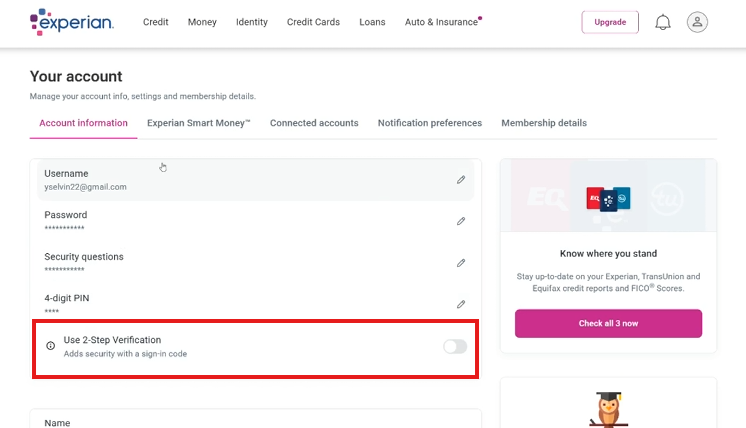
5. **Set/Confirm Security Questions**
    - Establish a security question if there is none yet, otherwise, make note of the existing answer to the security question
    - [![settings.png](https://wiki.getcrownedcredit.com/uploads/images/gallery/2026-04/scaled-1680-/settings.png)](https://wiki.getcrownedcredit.com/uploads/images/gallery/2026-04/settings.png)
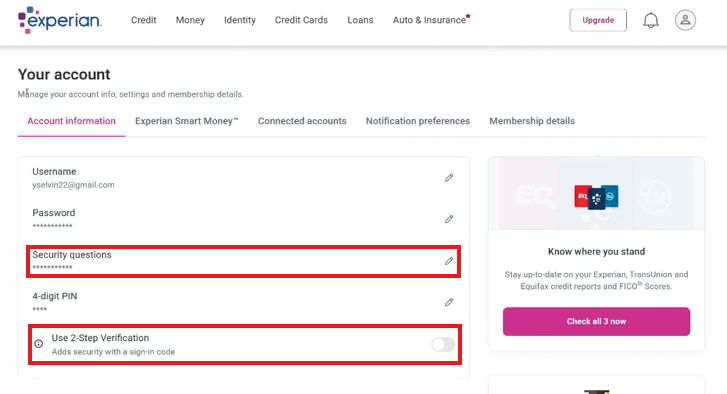
6. **Document in DisputeFox**
    - Navigate to the client’s profile.
    - Enter the Experian login credentials and relevant notes in the **“Additional Information”** section.
7. **Notify the Dispute Team**
    - Send a message to the Whatsapp groupchat saying "Client Name Experian logins added to DF"
8. **Update "Experian Logins Needed"** **tracker**

***DisputeFox Note Format:***

<div id="bkmrk-%F0%9F%93%9D-this-wiki-is-alway" style="background:#f0f4ff;border-left:5px solid #2b386d;padding:16px 20px;margin:16px 0;">Experian Username:  
Experian Password:  
Experian PIN:  
Answer to security question in Experian:</div>

# Escalation Triggers & Chain

**This page defines all escalation triggers and the escalation chain at Crowned Credit — covering when to escalate, who to contact, response time expectations, and resolution tracking.**

This page defines the complete **Escalation Triggers and Escalation Chain** for Crowned Credit Customer Service. Every CSR must know when to escalate, who to escalate to, and how fast to act. Proper escalation protects the client, the company, and the CSR. When in doubt, escalate. It is always better to involve leadership on something small than to mishandle something significant.

## The Escalation Principle

Escalation is not a sign of failure - it is a sign of professionalism. The escalation chain exists because certain situations carry legal, financial, or reputational risk that exceeds the authority of a frontline CSR. Knowing the boundaries of your role and escalating appropriately is one of the most important skills in this job.

## Immediate Escalation Triggers (Same Response - Do Not Delay)

These situations require escalation within the **same response or call**. Do not wait. Do not try to handle it alone. Tag Team Lead immediately.

<div id="bkmrk-triggerescalate-tore" style="margin:16px 0;"><table id="bkmrk-triggerescalate-tore-1" style="width:100%;border-collapse:collapse;margin:20px 0;"><thead><tr><th style="background:#2b386d;color:#FFFFFF;padding:12px;text-align:left;">Trigger</th><th style="background:#2b386d;color:#FFFFFF;padding:12px;text-align:left;">Escalate To</th><th style="background:#2b386d;color:#FFFFFF;padding:12px;text-align:left;">Reason</th></tr></thead><tbody><tr><td style="padding:10px;border:1px solid #ddd;">Client threatens chargeback or bank dispute</td><td style="padding:10px;border:1px solid #ddd;">Team Lead then Manager</td><td style="padding:10px;border:1px solid #ddd;">Financial risk plus potential CROA issue</td></tr><tr><td style="padding:10px;border:1px solid #ddd;">Client mentions attorney, lawsuit, or legal action</td><td style="padding:10px;border:1px solid #ddd;">Manager then Jethro</td><td style="padding:10px;border:1px solid #ddd;">Legal exposure requiring executive response</td></tr><tr><td style="padding:10px;border:1px solid #ddd;">Client threatens BBB complaint or regulatory filing</td><td style="padding:10px;border:1px solid #ddd;">Team Lead then Manager</td><td style="padding:10px;border:1px solid #ddd;">Serious reputation and compliance risk</td></tr><tr><td style="padding:10px;border:1px solid #ddd;">Client is verbally abusive or making threats</td><td style="padding:10px;border:1px solid #ddd;">Team Lead immediately</td><td style="padding:10px;border:1px solid #ddd;">Safety, HR, and liability issue</td></tr><tr><td style="padding:10px;border:1px solid #ddd;">Client reports fraud or unauthorized charges</td><td style="padding:10px;border:1px solid #ddd;">Billing (Khryzza) plus Manager</td><td style="padding:10px;border:1px solid #ddd;">Financial accuracy and legal obligation</td></tr><tr><td style="padding:10px;border:1px solid #ddd;">Client requests a refund</td><td style="padding:10px;border:1px solid #ddd;">Team Lead then Khryzza</td><td style="padding:10px;border:1px solid #ddd;">Refund policy review is required before any commitment</td></tr><tr><td style="padding:10px;border:1px solid #ddd;">Duplicate charge confirmed</td><td style="padding:10px;border:1px solid #ddd;">Khryzza (Billing) immediately</td><td style="padding:10px;border:1px solid #ddd;">Must be voided and corrected same day</td></tr><tr><td style="padding:10px;border:1px solid #ddd;">Client threatening social media post or public review retaliation</td><td style="padding:10px;border:1px solid #ddd;">Team Lead then Manager</td><td style="padding:10px;border:1px solid #ddd;">Reputation management and brand protection</td></tr><tr><td style="padding:10px;border:1px solid #ddd;">Client reports someone else used their information to sign up</td><td style="padding:10px;border:1px solid #ddd;">Manager plus Jethro immediately</td><td style="padding:10px;border:1px solid #ddd;">Potential fraud, legal obligation to investigate</td></tr></tbody></table>

</div>## Same-Day Escalation Triggers (Not Emergency But Must Be Handled Today)

<div id="bkmrk-triggerescalate-to-p" style="margin:16px 0;"><table id="bkmrk-triggerescalate-to-p-1" style="width:100%;border-collapse:collapse;margin:20px 0;"><thead><tr><th style="background:#2b386d;color:#FFFFFF;padding:12px;text-align:left;">Trigger</th><th style="background:#2b386d;color:#FFFFFF;padding:12px;text-align:left;">Escalate To</th></tr></thead><tbody><tr><td style="padding:10px;border:1px solid #ddd;">Payment extension beyond 7 days requested</td><td style="padding:10px;border:1px solid #ddd;">Khryzza (Billing Lead)</td></tr><tr><td style="padding:10px;border:1px solid #ddd;">Client asks to change billing plan or pricing</td><td style="padding:10px;border:1px solid #ddd;">Khryzza plus Team Lead</td></tr><tr><td style="padding:10px;border:1px solid #ddd;">Client asks about reactivation after 2 or more months</td><td style="padding:10px;border:1px solid #ddd;">Khryzza for invoice setup and new onboarding</td></tr><tr><td style="padding:10px;border:1px solid #ddd;">Client has 3 or more unresolved complaints in a single conversation</td><td style="padding:10px;border:1px solid #ddd;">Team Lead</td></tr><tr><td style="padding:10px;border:1px solid #ddd;">Client asks technical credit questions beyond CSR knowledge</td><td style="padding:10px;border:1px solid #ddd;">Credit Case Specialist</td></tr><tr><td style="padding:10px;border:1px solid #ddd;">Dispute result appears to have an error (wrong items listed, wrong amounts)</td><td style="padding:10px;border:1px solid #ddd;">Dispute Team Lead</td></tr><tr><td style="padding:10px;border:1px solid #ddd;">Client has not been responsive for 30 or more days</td><td style="padding:10px;border:1px solid #ddd;">Team Lead for re-engagement strategy</td></tr></tbody></table>

</div>## Escalation Chain - Who Does What

<div id="bkmrk-levelrolehandlescont" style="margin:16px 0;"><table id="bkmrk-levelrolehandlescont-1" style="width:100%;border-collapse:collapse;margin:20px 0;"><thead><tr><th style="background:#2b386d;color:#FFFFFF;padding:12px;text-align:left;">Level</th><th style="background:#2b386d;color:#FFFFFF;padding:12px;text-align:left;">Role</th><th style="background:#2b386d;color:#FFFFFF;padding:12px;text-align:left;">Handles</th><th style="background:#2b386d;color:#FFFFFF;padding:12px;text-align:left;">Contact Method</th></tr></thead><tbody><tr><td style="padding:10px;border:1px solid #ddd;">Level 1</td><td style="padding:10px;border:1px solid #ddd;">CSR</td><td style="padding:10px;border:1px solid #ddd;">All standard requests, scripts, and routine client questions</td><td style="padding:10px;border:1px solid #ddd;">GHL chat, SMS, phone</td></tr><tr><td style="padding:10px;border:1px solid #ddd;">Level 2</td><td style="padding:10px;border:1px solid #ddd;">Team Lead</td><td style="padding:10px;border:1px solid #ddd;">Complaints, unhappy clients, pre-approval for refunds, serious concerns</td><td style="padding:10px;border:1px solid #ddd;">Discord DM plus GHL note</td></tr><tr><td style="padding:10px;border:1px solid #ddd;">Level 3</td><td style="padding:10px;border:1px solid #ddd;">Manager or Khryzza</td><td style="padding:10px;border:1px solid #ddd;">Billing disputes, refunds, payment plan changes, chargebacks, legal threats</td><td style="padding:10px;border:1px solid #ddd;">WhatsApp group chat plus Discord</td></tr><tr><td style="padding:10px;border:1px solid #ddd;">Level 4</td><td style="padding:10px;border:1px solid #ddd;">Jethro (CEO)</td><td style="padding:10px;border:1px solid #ddd;">Legal threats requiring executive decision, major refunds, media threats, suspected fraud</td><td style="padding:10px;border:1px solid #ddd;">Direct message to Jethro immediately</td></tr></tbody></table>

</div>## How to Escalate - Step by Step

1. Stay calm with the client. Do not show panic or uncertainty.
2. Tell the client: "I want to make sure this is handled at the right level. Let me loop in \[Team Lead / Billing / Manager\] right now."
3. Send the client a holding message if on SMS or email
4. Open the team Discord channel and post the escalation with: Client Name, Issue Summary, Urgency Level (Immediate or Same Day), and your name
5. Add a GHL escalation note using the template below
6. Set a GHL follow-up task for 2 hours from now to confirm the escalation was picked up
7. Do not close the conversation until you confirm the escalated team member has acknowledged it

## CSR Holding Scripts During Escalation

### SMS - Holding Message While Escalating

> Hi \[Name\], I completely understand your concern and I want to make sure this is handled properly for you. I am looping in our \[billing team / team lead / manager\] right now to review your account. They will be in touch with you within \[1-2 hours\]. Thank you for your patience - we take this seriously.

### Phone Script - Holding While Escalating on the Same Call

> I completely understand, \[Name\], and I want to make sure the right person handles this for you. Can I put you on a brief hold for just 60 seconds while I get our \[team lead / billing lead\] on the line? I want to make sure you get the best answer right now. \[Hold - contact escalation person - return.\] Thank you so much for holding. I have \[Name\] joining us now to help address this directly.

## GHL Escalation Note Template

> ESCALATION - \[DATE\] \[TIME\]  
> CSR: \[Your Name\]  
> Issue: \[Brief description in 1-2 sentences\]  
> Client Said: \[Exact quote if threatening or important to document\]  
> Action Taken: \[What you said and did before escalating\]  
> Escalated To: \[Name and Role\]  
> Urgency: IMMEDIATE or SAME DAY  
> Status: PENDING  
> Next Step: \[What should happen next and by when\]

## Response Time Standards by Escalation Level

<div id="bkmrk-levelrolefirst-respo" style="margin:16px 0;"><table id="bkmrk-levelrolefirst-respo-1" style="width:100%;border-collapse:collapse;margin:20px 0;"><thead><tr><th style="background:#2b386d;color:#FFFFFF;padding:12px;text-align:left;">Level</th><th style="background:#2b386d;color:#FFFFFF;padding:12px;text-align:left;">Role</th><th style="background:#2b386d;color:#FFFFFF;padding:12px;text-align:left;">First Response SLA</th><th style="background:#2b386d;color:#FFFFFF;padding:12px;text-align:left;">Resolution Target</th></tr></thead><tbody><tr><td style="padding:10px;border:1px solid #ddd;">L1 - CSR</td><td style="padding:10px;border:1px solid #ddd;">Customer Service Rep</td><td style="padding:10px;border:1px solid #ddd;">SMS: 15 min / Email: 2 hrs / Phone: answer or callback in 1 hr</td><td style="padding:10px;border:1px solid #ddd;">Standard issues resolved on same contact</td></tr><tr><td style="padding:10px;border:1px solid #ddd;">L2 - Team Lead</td><td style="padding:10px;border:1px solid #ddd;">Team Lead</td><td style="padding:10px;border:1px solid #ddd;">15 minutes after escalation notification</td><td style="padding:10px;border:1px solid #ddd;">2 to 4 hours from escalation</td></tr><tr><td style="padding:10px;border:1px solid #ddd;">L3 - Manager or Billing</td><td style="padding:10px;border:1px solid #ddd;">Khryzza or Manager</td><td style="padding:10px;border:1px solid #ddd;">30 minutes after escalation notification</td><td style="padding:10px;border:1px solid #ddd;">Same business day</td></tr><tr><td style="padding:10px;border:1px solid #ddd;">L4 - CEO</td><td style="padding:10px;border:1px solid #ddd;">Jethro</td><td style="padding:10px;border:1px solid #ddd;">As soon as possible</td><td style="padding:10px;border:1px solid #ddd;">Judgment call based on complexity</td></tr></tbody></table>

</div>## Never Leave a Client in Silence

No matter the escalation level, never allow a client to go more than **4 hours without an update** during business hours. Even if you do not have a resolution yet, send a check-in message:

> Hi \[Name\], I just wanted to let you know we are still actively working on your concern and have not forgotten about you. I expect to have an update for you by \[specific time\]. Thank you for your patience - we appreciate it!